Saturday, September 3rd, 2011

How to Manage Partial Transaction Authorizations

Tags: transaction authorization

How to Manage Partial Transaction AuthorizationsU.S. merchants are prohibited from splitting credit card transactions, which they may be tempted to do when the total transaction amount exceeds the authorization limit stated in their processing agreements. In such scenarios, merchants would request multiple authorizations for portions of the total transaction amount, which would all be lower than the limit. We have advised you not to do that, because you will eventually be found out and pay the price for your misbehavior.


There is a special case, however, where partial transaction authorizations are not only allowed but necessary. I will examine it in this article.

What Is a Partial Authorization?


A partial authorization request enables an issuer to approve an amount that is lower than the total transaction amount in cases when the available card balance is not sufficient to cover the full transaction amount.


Partial authorizations are used for prepaid and check / debit cards and are now supported by both Associations, as well as their issuers and payment processing companies. They make it possible for merchants to complete a transaction by using the remaining available balance on the prepaid or check card and accepting an additional payment form (e.g. cash, check or another bank card) for the remaining balance. This type of transaction is known as “split tender.”

Partial Authorization Process


Here is how a split tender transaction is processed:

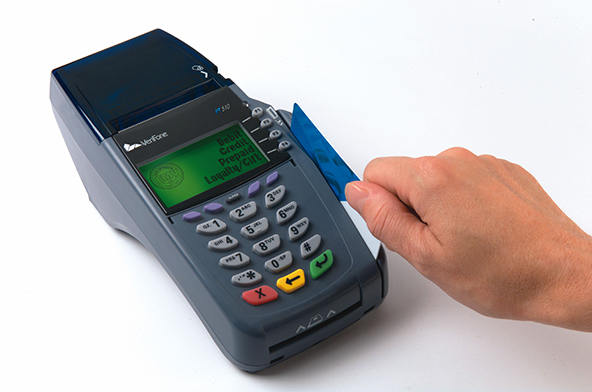
  1. The customer swipes a card with available balance that is lower than the sale’s amount.
  2. The merchant submits an authorization request with a Partial Authorization indicator to the issuer for the entire sale’s amount.
  3. The issuer sends a partial authorization approval back to the merchant.
  4. The POS terminal subtracts the partially approved amount from total sale’s amount. In a full service restaurant, the POS device will print out two receipts – one displaying only the partial authorization and a second receipt displaying the remaining balance due plus a blank field for the tip.
  5. The customer makes a payment for the remaining balance using cash, check or another card.
  6. The sale is now completed and a receipt is printed displaying the split tender amounts. The current card balance may also be shown (in what is known as “Balance Return”) in one of two ways:
    • If less than $200, the POS device prints the exact balance (for example, “Balance Remaining: $87.65″).
    • If more than $200, the POS terminal prints “Confirmed,” instead of the amounts (for example, “Balance Remaining: Confirmed”).


If the prepaid card used in a split tender transaction is a gift or an incentive card, the remaining balance is automatically sent to the point-of-sale (POS) terminal where it can be displayed to the merchant and printed on the sales receipt.

The Takeaway


Partial authorizations provide you with a way to eliminate declined authorizations due to insufficient funds. You should take advantage of this opportunity and understand how to process them.


There are reasons for authorization declines where there is nothing a merchant can do, but there is no excuse for not preventing the ones that are totally within your control.


Learn how to lower your card acceptance cost


Payment Card Acceptance KitLearn how to accept credit and debit cards at the lowest processing costs. The Payment Card Acceptance kit contains a video and an e-book:


  • Video – Card Acceptance Best Practices for Lowest Processing Costs (18 min).
  • E-Book – Payment Card Acceptance Guide (19 pages).


Payment Card Acceptance Kit

Saturday, June 11th, 2011

What Every Merchant Needs to Know About Transaction Authorizations

Tags: credit card acceptance, transaction authorization

What Every Merchant Needs to Know About Transaction AuthorizationsEach credit card transaction goes through a three-stage process that begins with the authorization of the payment by the card issuer. Authorized transactions are then processed by the merchant and submitted to the processing bank for clearing and settlement.


In this article I will provide the very basic information that everyone who accepts credit cards needs to know about credit card authorizations.

What Is Transaction Authorization?


Authorization is the process of approving or declining by a card issuer of a sales transaction involving one of the bank’s payment cards. In a face-to-face setting, the authorization occurs immediately after a card is swiped through a point-of-sale (POS) terminal. In a card-not-present setting, the authorization takes place immediately after the credit card information is submitted by the customer online or over the phone.


What Every Merchant Needs to Know About Transaction Authorizations


All non-swiped transactions must be authorized before being processed. For swiped transactions, the merchant is only required to receive an authorization approval for amounts that are above the merchant’s “floor limit” – a dollar figure stated in the processing agreement. So if the floor limit is $25, all transactions for up to $24.99 would not need an authorization approval, while these of $25.00 and above would require it.


Merchants can request partial authorization approvals for debit or prepaid cards, if the transaction amount exceeds the funds available on the card. If this is the case, the merchant is allowed to split the transaction between the card for which a partial authorization approval was received and another form of payment, which can be another card. This is called a split-tender sale. However, merchants are not allowed to split sales with the goal of avoiding authorization limits.

Authorization Responses and How to Act on Them


Once the transaction information is sent to the card issuer, it is reviewed and a response code is sent back to the processing bank and the merchant. The format of the response may vary, but it communicates the following information:

Response Explanation and Recommended Action
Approved The transaction is authorized. If the transaction review process raises no suspicions, the payment can be completed.
Declined The transaction is not authorized. Do not complete the transaction. Request that your customer presents an alternative payment form.
Refer to / call card issuer You are requested to call the issuer’s authorization center. Follow the operator’s instructions. If your authorization request is:

  • Approved – complete the transaction.
  • Declined – request another payment form.
Capture card / Pick up You are requested to retain the card, which you should only do by peaceful means.
No match Request another authorization. If you get the same “no match” response, make a Code 10 call to your authorization enter.
Valid This is a response to information inquiries, like balance inquiries, address verification requests and other non-financial types of requests.


A valid response means that the request was processed successfully, i.e. the balance amount was given, the address verification provided, etc.


Once a credit card transaction receives an authorization approval and the sale is completed, the processing bank reimburses the merchant for the payment amount, typically on the first business day following the sale’s deposit. The processor then settles the funds with the card issuer through the Visa or MasterCard payment network to complete the transaction cycle.


Learn how to lower your card acceptance cost


Payment Card Acceptance KitLearn how to accept credit and debit cards at the lowest processing costs. The Payment Card Acceptance kit contains a video and an e-book:


  • Video – Card Acceptance Best Practices for Lowest Processing Costs (18 min).
  • E-Book – Payment Card Acceptance Guide (19 pages).


Payment Card Acceptance Kit

Saturday, March 19th, 2011

What Every Merchant Needs to Know About Splitting Credit Card Transactions

Tags: credit card transactions, transaction authorization

What Every Merchant Needs to Know About Splitting Credit Card TransactionsMany tricks have been devised to enable merchants accepting credit card payments get around one inconvenient industry rule or other. More often than not such tricks have backfired, rather quickly getting the offenders in trouble, but even so merchants have never lost their appetite for them. One of the most commonly used stratagems is the splitting of credit card sales amounts.

Splitting of Credit Card Transactions


A credit card sale is split when a merchant initiates two or more sales drafts for a single transaction, requesting multiple authorizations from the card issuer in the process. The reason for doing so is to avoid authorization limits outlined in the merchant agreement. By dividing the transaction amount among two or more sales drafts, the merchant ensures that each one falls under the authorization limit, thus solving the problem. This practice is explicitly forbidden and I would strongly recommend that you avoid it. There are simpler solutions to the authorization limit issue and I have suggested a couple of them below.

Split Tender Transactions


Firstly, not all split transactions are illegal. Merchants are allowed to process split tender transactions, even though these too involve two or more forms of payment for a single sale. There is a difference, though. Credit card companies typically allow holders of gift and prepaid cards to request split tender transactions, where the customer can use the card with another form of payment. The reason split tender transactions are allowed is that gift and prepaid card limits cannot be overdrawn. At the same time the cardholder must be allowed to spend the full balance of the card, preferably with as little inconvenience as possible. By contrast, credit and debit card accounts are much more flexible in that respect.

Why Are Split Transactions Prohibited?


There are no other exceptions to the rule and if you find yourself dealing often with high authorization amounts, you will have to look for a permanent solution to the issue. But first you need to understand why authorization limits are enforced in the first place.


Authorization limits play an important role in most processors’ fraud prevention strategies and are based on your average transaction amount. So if you average sale is $20, you will typically have no problem authorizing payment amounts of, say $30 or $40. However, if you try to authorize a transaction of $500, this would immediately, and understandably, raise a red flag. It just doesn’t fit your processing profile.


On the other hand, it would make a perfect sense for a criminal who has managed to take control over your merchant account to try and maximize his profits as quickly as possible, before the break-in is discovered.

How to Resolve the Issue?


The best solution to issues with authorization limits is to speak with your processor about it. Rather than trying to circumvent a perfectly sensible rule and placing the good standing of your merchant account at risk, explain your predicament to your processor. Chances are that your authorization limit was set too low and needs to be raised.


We have done it at UniBul Merchant Services on many occasions, most often for merchants with no previous credit card processing experience, who gave us an estimate of their average sale’s amount that was simply way too low.


There are merchants, however, whose sales amounts may range quite widely. In such cases we recommend that, when applying for a merchant account, rather than giving your processor an estimate of an average or median sale’s amount, you provide instead a figure that is closer to the highest end of your range than it is to the lowest.


In general, when you have a credit card processing issue, always try to first find a resolution with your processor before looking elsewhere.


Accept credit cards at one flat rate!


Flat Rate Merchant AccountAccept credit cards with our flat rate merchant account with no fixed monthly fees! You will get:


Flat Rate Merchant Account

Saturday, February 19th, 2011

Transaction Authorization Resources

Tags: card acceptance best practices, transaction authorization

Authorization is the process through which a card issuer approves or declines a card transaction. Whether the payment information is accepted in a face-to-face or card-not-present environment, the merchant sends it to the card issuer through the respective Credit Card Association’s (or Discover’s or American Express’, if it is not a bank card) payment processing system and then the card issuer’s response is routed back through the same channel.


Use the resources on this page to learn how the authorization process works, when to request one, how to do it, and how to manage the issuer’s response.


Transaction Authorization Basics


Card Processing BasicsCard Processing Basics


Transaction Authorization ProcessTransaction Authorization Process


Transaction Authorization Guides


Managing the E-Commerce Authorization ProcessManaging the E-Commerce Authorization Process


Managing Card-Present Transaction AuthorizationsManaging Card-Present Transaction Authorizations


Handling E-Commerce Transaction Authorization ResponsesHandling E-Commerce Transaction Authorization Responses


Guidelines for Authorizing Credit Card Transactions at RestaurantsGuidelines for Authorizing Credit Card Transactions at Restaurants


How to Process Zero-Percent-Tip Credit Card Transaction AuthorizationsHow to Process Zero-Percent-Tip Credit Card Transaction Authorizations


How to Manage Chargebacks Resulting from Declined AuthorizationsHow to Manage Chargebacks Resulting from Declined Authorizations


Managing E-Commerce Credit Card Transaction Post-AuthorizationsManaging E-Commerce Credit Card Transaction Post-Authorizations


How to Manage Chargebacks Resulting from Processing Transactions without AuthorizationHow to Manage Chargebacks Resulting from Processing Transactions without Authorization


How to Manage Chargebacks Resulting from Processing Transactions for which Authorization was DeclinedHow to Manage Chargebacks Resulting from Processing Transactions for which Authorization was Declined


How to Manage No Authorization' ChargebacksHow to Manage ‘No Authorization’ Chargebacks


How to Manage Transaction Authorizations for Discover CardsHow to Manage Transaction Authorizations for Discover Cards


Learn how to lower your card acceptance cost


Payment Card Acceptance KitLearn how to accept credit and debit cards at the lowest processing costs. The Payment Card Acceptance kit contains a video and an e-book:


  • Video – Card Acceptance Best Practices for Lowest Processing Costs (18 min).
  • E-Book – Payment Card Acceptance Guide (19 pages).


Payment Card Acceptance Kit

Saturday, December 18th, 2010

Authorization of MasterCard Transactions

Tags: MasterCard, transaction authorization

Authorization of MasterCard TransactionsResponses to authorization requests provide merchants with guidance on how to complete a credit card transaction. MasterCard authorization responses typically take the form of a code that specifies the action the merchant should take. The format of the authorization response can differ from one processing bank to another.


Regardless of the format of the authorization response, it always directs the merchant to take one of the actions listed in the table below.

Response

Description

Approve The transaction is authorized as reported.


For magnetic stripe, chip, and key-entered transactions, the issuer provides a six-digit authorization code to the processor when it approves a sales transaction.


The merchant still needs to perform its normal review process (e.g. verifying the validity of the card, matching the signature on the back of the card to the one on the sales receipt, etc.) before completing the transaction.

Decline The merchant should not accept the card, but return it to the customer instead and request another form of payment.
Refer to the card issuer The processor or merchant is required to contact the issuer for further instructions.
Capture card The merchant is required to retain the card, but only by reasonable and peaceful means.
Valid This response is used for inquiry transaction types only.


Issuers provide a valid response to processing balance inquiries, address verification requests, or other non-financial types of requests. Merchants use these types of authorization responses to provide information to the cardholder or to determine if further authorization decision-making is needed.


MasterCard requires its debit card issuers to support partial authorization approvals. A partial approval enables merchants and cardholders to successfully complete debit and prepaid card transactions when the balance on the card is less than the transaction amount.


Provided the merchant’s point-of-sale (POS) terminal supports this feature, the issuer’s partial approval response approves a portion of the transaction amount in the authorization request when the transaction amount exceeds the amount of funds available on the debit or prepaid card. This portion is the amount that is available on the card at the time the request is processed. However, for automated fuel dispensers (AFDs), an issuer can respond with a partial approval amount that is greater than the amount in the authorization request.


When the merchant’s authorization request indicates that its POS terminal supports partial approvals, the issuer has the option to respond with the partial approval amount and partial approval response code. The partial approval response can also indicate the balance due, which is the difference between the original transaction amount and the partial amount approved by the issuer. The cardholder can then choose to complete the purchase by paying the balance using another form of payment (e.g. cash, check or another card).


Learn how to lower your card acceptance cost


Payment Card Acceptance KitLearn how to accept credit and debit cards at the lowest processing costs. The Payment Card Acceptance kit contains a video and an e-book:


  • Video – Card Acceptance Best Practices for Lowest Processing Costs (18 min).
  • E-Book – Payment Card Acceptance Guide (19 pages).


Payment Card Acceptance Kit